
The problem
An inbound call is worth nothing if it rings into silence, or rings the wrong person while everyone else who could take it never finds out. Teams need a way to decide, in advance, who a call should reach, what happens after hours, and what a caller experiences if nobody picks up, without hand-building that logic themselves.
Routing and presence in Phone Clover handle that decision automatically, based on settings an admin configures once for the sub-account’s default number.
How it works in HighLevel
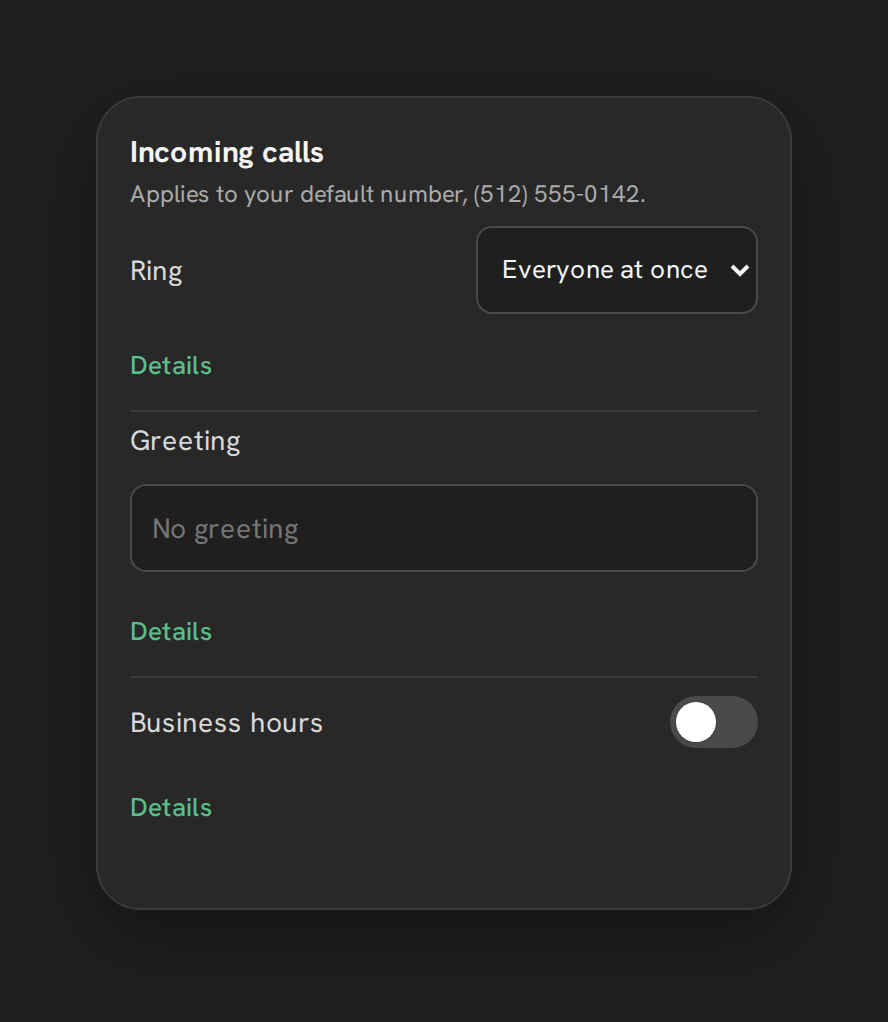
Everything here applies to the sub-account’s default number, configured from Settings → Calls → “Incoming calls.” A call first checks business hours: a time zone, an open and close time, and day-of-week chips. Inside those hours, the call rings using whichever mode is set. Everyone at once is the default, ringing every logged-in, ringable rep simultaneously. Round robin rings one rep for 15 seconds, then moves to the next ringable rep, for up to 4 turns, before falling through to forward or voicemail; the rotation cursor advances per call so it doesn’t repeat the same rep out of order.
A rep only counts as ringable if their presence heartbeat, posted every 30 seconds while their phone is connected, was seen within the last 90 seconds, and they haven’t marked themselves Away. The Away toggle sits in the top bar of both the floating widget and the full Phone page and persists across sessions.
If nobody answers, the call tries a forward number if one is configured, keeping your own number as the caller ID rather than the rep’s mobile number, then falls to voicemail if it’s on, then plays a text-to-speech greeting and hangs up, or is rejected outright with no greeting if neither forward nor voicemail is set up. Outside business hours, the same fallback chain runs immediately, as if nobody were available.
Every option explained
| Setting | Where | What it does |
|---|---|---|
| Ring mode | Settings → Calls → “Incoming calls” | Everyone at once (default) or round robin; in-order routing does not exist |
| Business hours | Settings → Calls → “Incoming calls” | Time zone, open/close time, day-of-week chips; one window per number |
| Greeting | Settings → Calls → “Incoming calls” | Text field up to 300 characters, spoken with text-to-speech; no recorded audio |
| Forward calls to | Settings → Calls → “Missed calls” | A phone number to try before voicemail; caller ID always stays your own number |
| Voicemail | Settings → Calls → “Missed calls” | Off by default; a 4–6 digit PIN field exists in the UI but the app’s own voicemail flow doesn’t use it |
| Available / Away | Top bar, widget and Phone page | Marks a rep unavailable for inbound routing without logging out |
| Automatic voicemail detection | Settings → Sequence | A separate, off-by-default toggle for the calling-list dialer, using Telnyx’s paid Premium AMD; not part of inbound routing |
Note: In-order routing is not available. The two ring modes available are Everyone at once and round robin.
What runs on Telnyx
Telnyx carries the inbound call and executes the ring, forward and voicemail logic Phone Clover configures for it, through a TeXML call-control application. The text-to-speech greeting is generated and spoken by Telnyx during the call. Voicemail audio, when it’s turned on, is captured through Telnyx’s recording pipeline and logged back to GHL as a voicemail-type call entry. The separate automatic voicemail detection toggle for calling lists uses Telnyx’s Premium AMD product specifically, which carries its own usage charges.
Who uses it
Admins configure ring mode, business hours, the greeting, forwarding and voicemail from Settings → Calls, all for the sub-account’s shared default number. Every rep controls their own Available/Away status from the top bar, which decides in real time whether inbound calls can reach them, without needing an admin to change anything.
What to expect
There’s no in-order routing, no per-day business hours, and no recorded-audio greeting, all deliberate gaps rather than settings hidden somewhere else. Round robin only advances through reps who are actually online and not marked Away, so a rep who forgets to mark themselves Away while stepping out will still get rung. And the automatic voicemail detection toggle in Settings → Sequence is a separate, paid feature for the calling-list dialer specifically, it doesn’t change how inbound calls are routed.