
Note: Coming soon: not yet switched on for early-access accounts.
The problem
Most GHL phone apps make you choose between staying inside the CRM your team already knows, or moving to a separate app for texting. Reps end up hunting for a second inbox, or a manager has to explain why some texts show up in GHL and others don’t. Meanwhile the number your business actually wants to text from, and the rates you pay for it, are decided for you by whichever carrier GHL has behind the scenes.
Phone Clover’s answer is to change the carrier underneath, not the workflow on top. Texts still live in Conversations. Workflows still fire the same Send SMS step. The only thing that moves is which network actually carries the message: Telnyx instead of GHL’s built-in provider.
How it works in HighLevel
An admin registers Phone Clover as the sub-account’s SMS provider from Settings. Once that’s done, GHL routes outbound texts sent from Conversations, workflow Send SMS steps and bulk SMS jobs through the Telnyx numbers configured for that sub-account. Inbound replies come back into the same Conversations thread as any other text, tied to the contact record the way GHL already handles it.
Reps don’t see a new interface for this. They open a contact, type a message in Conversations, and it sends. A workflow author picks Send SMS the same way they always have. The provider swap happens below the UI, in how the message physically leaves the building.
The GHL mobile app keeps working too, because SMS rides through GHL as a Conversation Provider rather than through a separate calling app. That matters because Phone Clover’s voice calling is desktop browser only. Texting is the one part of the phone experience that stays fully available on a phone, and native SMS is what makes that true.
Every option explained
| Setting | Where | What it does |
|---|---|---|
| SMS provider registration | Settings → Overview / Numbers | Registers Phone Clover as the sub-account’s Conversation Provider for SMS, routing GHL texting through Telnyx numbers |
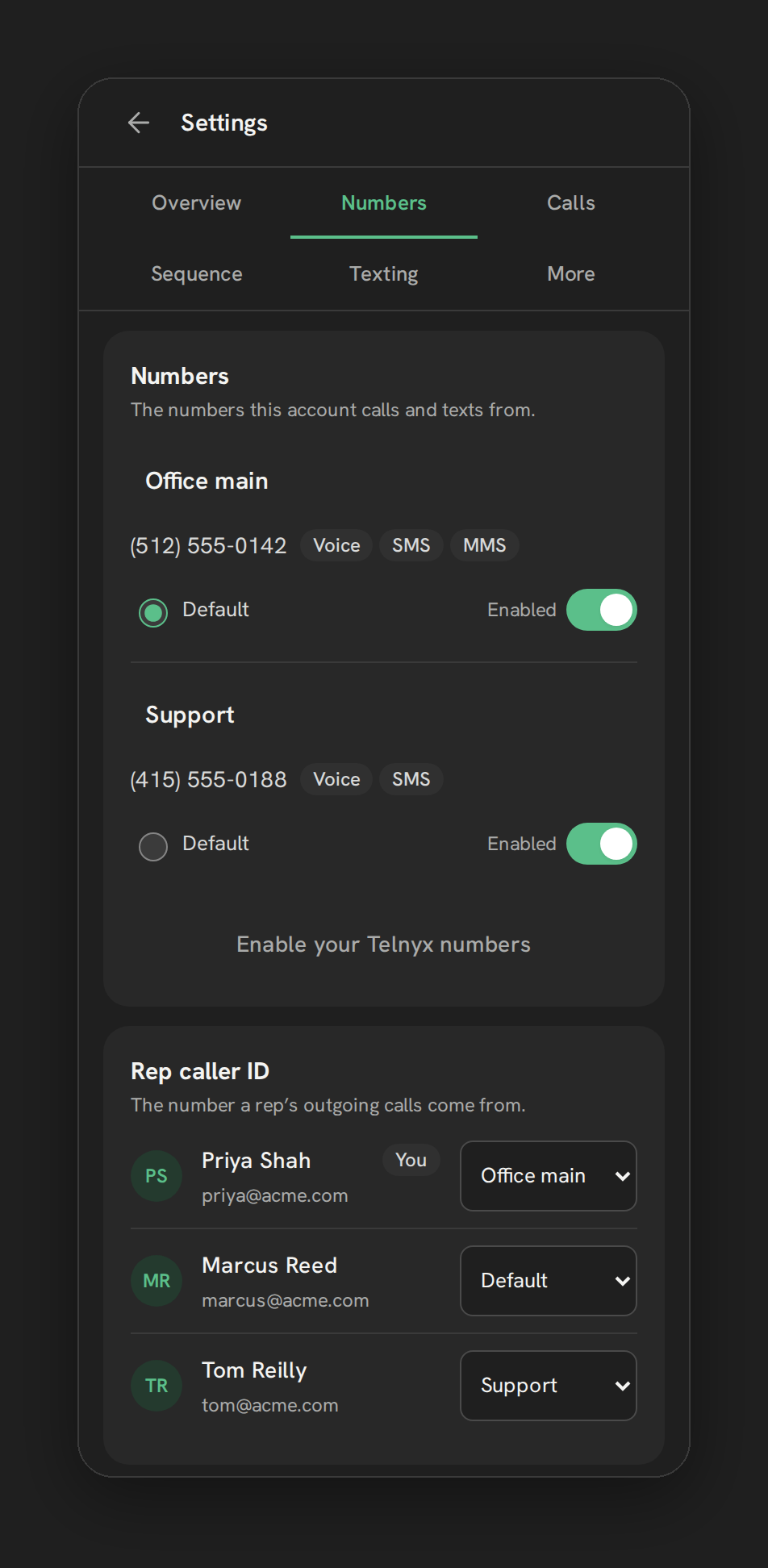
| Number capability chips | Settings → Numbers → “Numbers” card | Shows Voice / SMS / MMS per number, so you can see which numbers are ready to text |
| Default number | Settings → Numbers → “Numbers” card, Default radio | Sets which number outbound texts use when a workflow or bulk send doesn’t specify one |
| Business texting registration | Settings → Texting → “Business texting registration” | Starts the A2P 10DLC wizard required before US business texting is reliable |
What runs on Telnyx
Telnyx owns the number and the network path for every text sent through native SMS. When a rep sends a message from Conversations, Phone Clover hands it to Telnyx’s messaging API, which delivers it to the carrier and, from there, to the recipient’s phone. Inbound messages arrive at Telnyx first, and Phone Clover writes them into the matching GHL Conversations thread.
Business texting in the US runs through the carrier-mandated A2P 10DLC system regardless of which app you use. Telnyx exposes 10DLC registration as an API, which is what lets Phone Clover offer a guided wizard for brand and campaign registration instead of GHL’s own manual Trust Center form. Neither Phone Clover nor Telnyx controls how fast the carriers approve a registration.
SMS pricing that passes through from Telnyx is close to what LC Phone, GHL’s built-in Twilio white-label, already charges for SMS. The defensible difference is elsewhere: Telnyx’s voice rates, its international number inventory, and the number health and deliverability tooling Phone Clover builds on top of Telnyx’s API, like the SMS firewall and failed-text explanations.
Who uses it
Reps text the same way they always have, from Conversations, without learning anything new. Admins are the ones who set it up: registering Phone Clover as the SMS provider, picking a default number, and completing A2P 10DLC registration so messages actually go through. Agencies rolling this out across multiple sub-accounts repeat the same registration steps per sub-account, since each sub-account has its own SMS provider setting and its own 10DLC campaign.
What to expect
Native SMS keeps the Conversations, workflow and mobile app experience your team already knows. It does not add a new SMS-only pricing story: rates on Telnyx numbers land close to what LC Phone already charges, so the honest pitch is number ownership and deliverability tooling, not a blanket discount. US business texting still requires A2P 10DLC registration, and carrier approval timing is outside Phone Clover’s control.