
The problem
A rep juggling calls needs three things close together: who called recently, who they need to call next, and a way to actually dial. Spread those across separate GHL screens and a plain dial pad, and a rep loses time hunting for context between calls, especially during a busy stretch of missed calls or a calling list.
A rep whose entire job is the phone, a dedicated sales or dispatch role, doesn’t want to work out of the small floating softphone all day either. They need a real, full-page workspace built around calling, the same way a rep working the CRM lives in Contacts or a pipeline board, not a bubble that shares screen space with everything else.
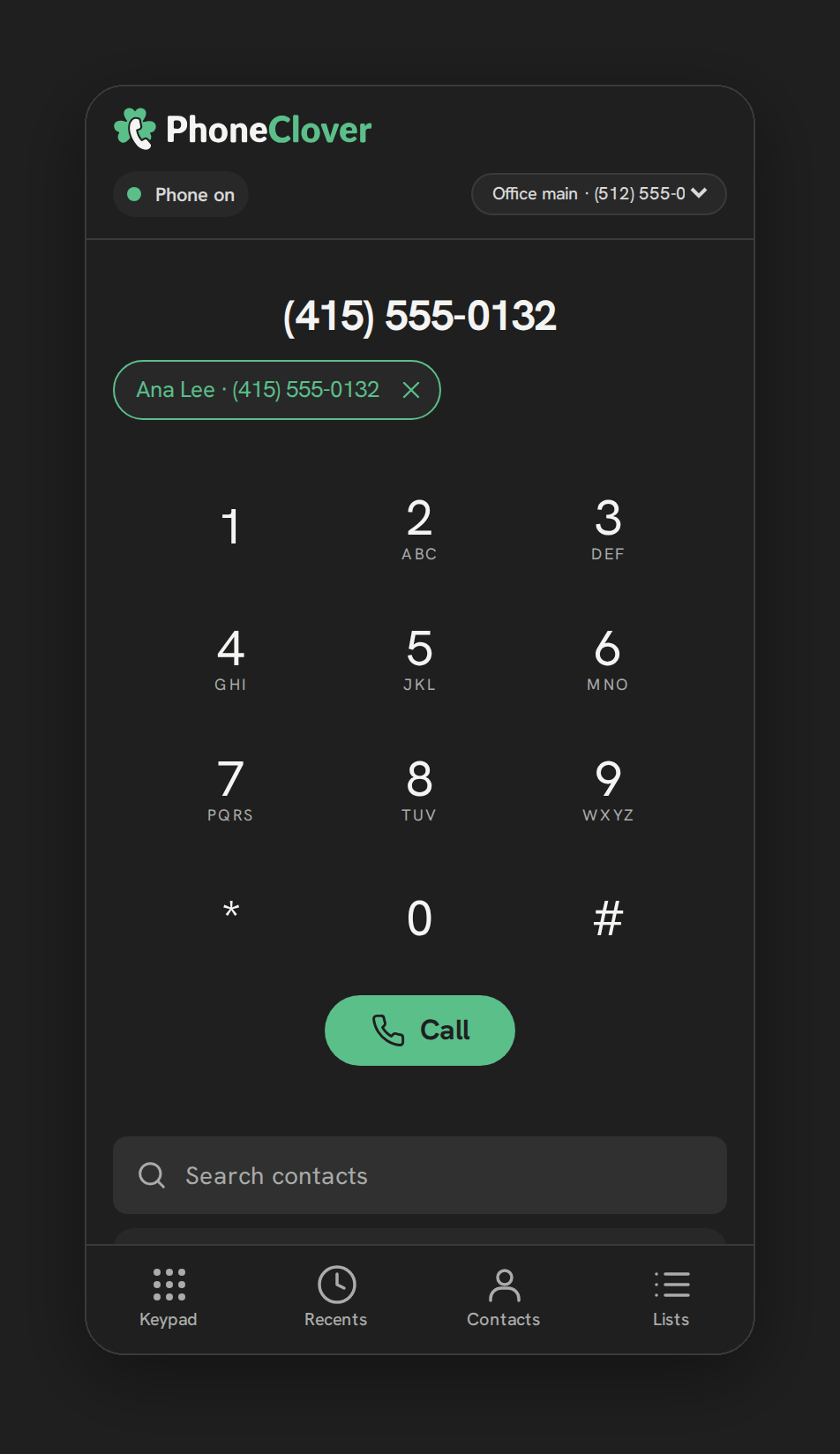
The Phone page puts all of it in one place, laid out like a phone app a rep already knows how to use, with a bottom tab bar for Recents, Contacts, Keypad and Lists.
How it works in HighLevel
The tab bar sits at the bottom of the Phone page with four tabs, in this order: Recents, Contacts, Keypad, and Lists. Recents shows call history with a red missed-call badge showing a count, or “9+” once it passes nine, and two filter buttons above the list labeled All and Missed. Contacts is GHL’s own contacts browser, reused inside the Phone page so a rep never has to leave the phone to find someone. Keypad is the dial pad for placing an outbound call, and it’s also where a live call and the post-call outcome card open no matter which tab a rep was on when the call started or came in. Lists is where a rep starts a calling list from a HighLevel tag, or sees a list that’s already running.
On a window 1000px wide or more, meaning the un-embedded, full-size Phone page rather than an embedded panel, the layout changes: a reporting dashboard appears alongside the phone in a two-column view, and the bottom tab bar is not shown in that wider layout.
Every option explained
| Setting | Where | What it does |
|---|---|---|
| Recents filter | Recents tab, “All” / “Missed” buttons | Narrows call history to every call or only missed calls |
| Missed badge | Recents tab icon | Shows a count of unseen missed calls, capped at “9+” |
| Contacts | Contacts tab | GHL’s own contacts browser, shown inside the Phone page |
| Keypad | Keypad tab | Dial pad for outbound calls; also where any live call and the outcome card open |
| Lists | Lists tab | Start a calling list from a tag, or resume one already running |
| Wide-screen dashboard | Automatic at 1000px+ window width | Shows reporting alongside the phone; replaces the bottom tab bar |
Note: The dashboard only appears at wider window widths. On a narrower or embedded view, reps see the four-tab phone layout without reporting.
What runs on Telnyx
Calls placed or answered from the Keypad tab run over the same Telnyx WebRTC voice path as the floating softphone, since both surfaces share the underlying calling connection logic. Recents pulls its call history from records Phone Clover keeps as calls happen on Telnyx numbers, and the Lists tab dials contacts one after another using those same Telnyx-connected numbers, applying do-not-call and calling-hours checks before each call goes out.
Who uses it
Every rep who spends real time on the phone tends to live on the Phone page rather than the floating widget, since it puts call history, contacts, the dial pad and calling lists in one dedicated view. Admins use the same page, and on a wide enough screen also see the reporting dashboard next to it, giving them call activity for the whole sub-account without switching to a separate report.
What to expect
The Phone page is a desktop browser experience, the same as the rest of Phone Clover’s calling surfaces, so there’s no native mobile version of it. The dashboard only shows up once the window is wide enough, so on a laptop with a narrower GHL panel or an embedded view, reps see the four-tab layout without reporting next to it. And because a live call and the outcome card always open on Keypad, a rep working through Contacts or Lists gets pulled to that tab automatically the moment a call connects, which is by design so nobody misses the post-call outcome prompt.
A rep splitting time between the Phone page and the floating softphone doesn’t lose anything by switching between them, both share the same underlying call state, contact data and settings, so it’s really a choice between a dedicated workspace and a compact panel that follows a rep around GHL, not two different phone systems to keep in sync.