
The problem
A phone system with a setup problem, GHL not connected, texting not registered, no A2P 10DLC, should surface that clearly before it causes a missed call or a failed text. Buried settings and vague error states leave an admin finding out about a problem from a frustrated rep or customer instead of from the app itself. And a team spread across shifts or time zones wants their own theme, not one setting forced on everyone.
Settings and Appearance covers both halves: a clear health check for admins, and a personal display preference for every rep.
How it works in HighLevel
Settings is organized into six tabs: Overview, Numbers, Calls, Sequence, Texting and More. Overview leads with two cards. “Needs attention” only renders when something is actually wrong, GHL disconnected, texting unregistered, no emergency address, a number at risk with carriers or paused, texts blocked recently, or a hosted or international order stuck waiting on documents, each row links directly to the tab that fixes it. Below that, “Phone health” always shows five badges: HighLevel connection, Telnyx voice, Telnyx messaging, Texting registration, and Emergency address. A “Numbers at a glance” card shows the default number, how many numbers are turned on, and the texting status chip, Registered, In review, or Not registered.
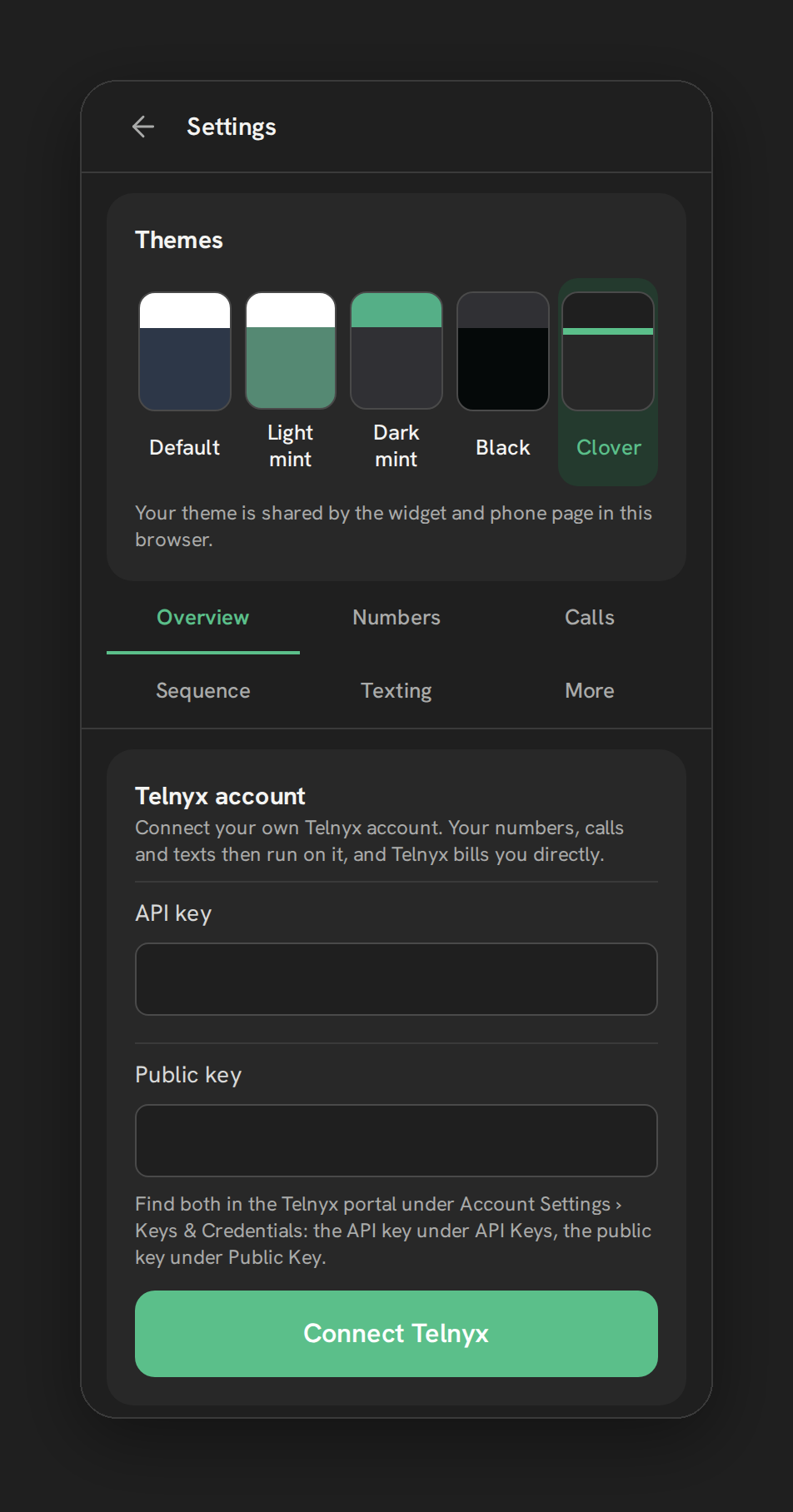
Appearance lives in its own card, visible to every rep, not gated behind the admin role the way most of Settings is. Four options in the Themes card, Default, Light mint, Dark mint and Black, set the theme. The choice is stored in the browser’s localStorage under a fixed key, applied before the page’s first paint so there’s no flash of the wrong theme, and kept in sync between the floating widget and the full Phone page in that browser through the browser’s storage event.
Desktop notifications are requested the first time a rep clicks the phone bubble, the only moment the browser allows that permission prompt. Once granted, a notification shows only when the GHL tab is hidden or unfocused, titled with the caller’s name if known or their formatted number, and it automatically closes once the call is answered, declined, or ends.
Every option explained
| Setting | Where | What it does |
|---|---|---|
| Needs attention | Settings → Overview | Lists only active problems, each linking to the tab that resolves it |
| Phone health badges | Settings → Overview | Five always-shown status badges across HighLevel, Telnyx voice, Telnyx messaging, texting registration and emergency address |
| Theme | Settings, Themes card, visible to every rep | Default, Light mint, Dark mint or Black; stored per browser |
| Desktop notifications | Requested on first phone-bubble click | Native browser alert for a ringing call when the GHL tab isn’t focused |
Note: The Emergency address badge reflects a real, unresolved gap: E911 is not provisioned on any number today. It will not clear because there is currently no setup path to add it.
What runs on Telnyx
The Telnyx voice and Telnyx messaging health badges reflect the live connection state between Phone Clover and the Telnyx account behind the sub-account, whether calling and texting infrastructure is actually reachable and configured. Texting registration reflects A2P 10DLC status, which is itself a Telnyx-mediated process with the carriers. Appearance and desktop notifications are entirely client-side and don’t touch Telnyx at all.
Who uses it
Admins are the audience for the health badges and the “Needs attention” card, since those point at setup problems only an admin can fix. Appearance and desktop notifications are for every rep individually, each person sets their own theme and grants their own browser permission, independent of what any other rep or the admin has configured.
What to expect
The Emergency address badge will stay unresolved, since E911 isn’t provisioned on any number, that’s an honest gap, not a setting waiting to be found. Desktop notifications only cover ringing calls today, not missed calls or incoming texts, so don’t describe them as a full notification system yet. And theme preference doesn’t follow a rep between devices or browsers, it’s stored locally, so a rep switching machines picks their theme again on the new one.