
GoHighLevel Call Recording and Call Tracking: What's Included, What Needs Pro
gohighlevel call recording 4 min read
What call recording and the dashboard include on Phone Clover, which plans get AI transcription and summaries, and what call tracking actually shows.
- Best for
- Anyone trying to work out what GoHighLevel call recording and reporting include on Phone Clover, and what AI notes adds on top of it.
- Not for
- Anyone expecting trend charts over time or a multi-location agency rollup. Neither is built.
- The difference
- Recording and the dashboard come with calling. AI transcription and summaries come with Pro and the agency bundles, with a monthly minute allowance and no automatic overage.
Ask about GoHighLevel call recording and you’ll get answers that blur two different things together: the recording itself, and AI transcription, which is a separate feature with its own plan requirement. This guide separates them, and covers what the reporting dashboard around your calls actually shows.
What recording includes
Call recording comes with calling on Base, Pro and the agency bundles, with no separate recording charge:
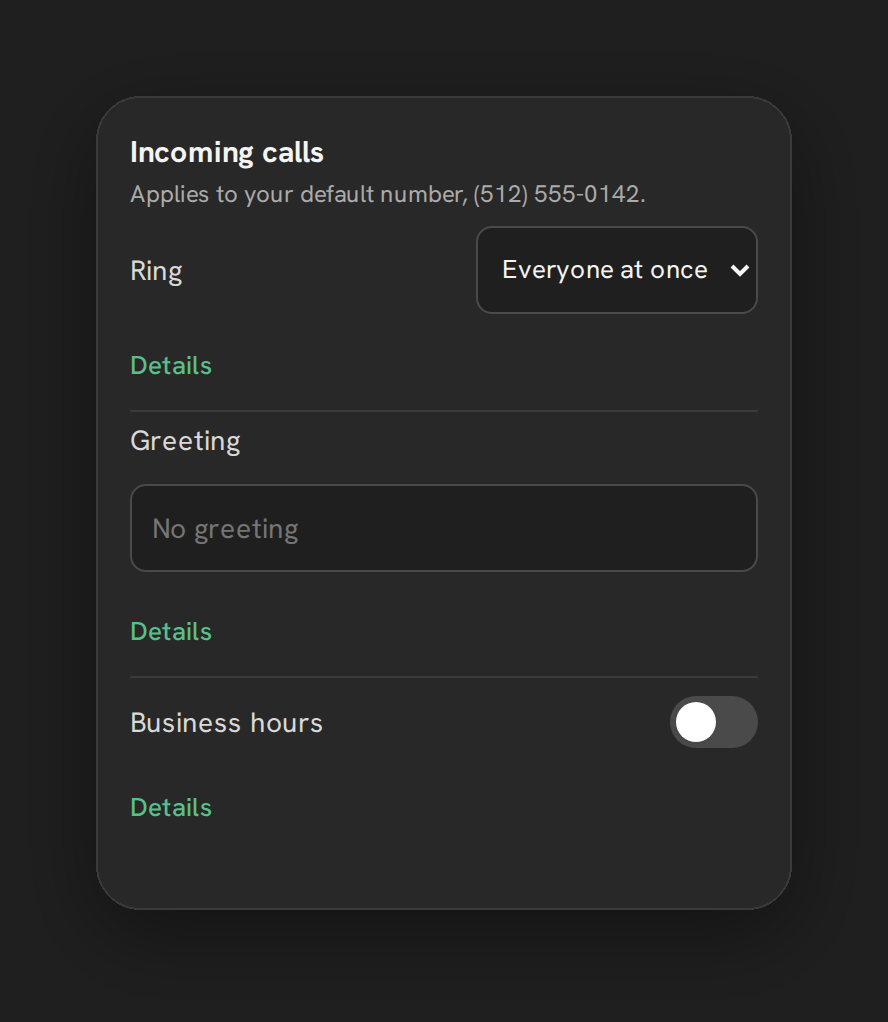
- Recording toggle, per number, in Settings, then Calls, then the Recording card: a switch for “Record incoming calls.” Outgoing calls show a read-only badge, either “Recorded by an account setting” or “Not recorded,” reflecting the same setting.
- Playback from the dashboard, with a signed URL that stays valid for an hour, so nobody needs a separate media player or download step.
- Logged automatically, every recorded call lands in the call log with the recording attached, no manual step to capture or file it.
None of this requires AI notes. If all you need is the audio and a place to play it back, you already have it.
AI transcription and summary: Pro and the agency bundles
Turning a recording into a written transcript and a short summary is AI notes. It is included in Pro, Growth 5, Growth 10 and Scale, not sold separately, and Texting and Base do not include it. Switch it on from Settings, Calls, Recording, then “Transcribe and summarize.” If the switch is unavailable, check the plan, the subscription status and the available sub-account slot.
What it does once it’s on: speech-to-text on the recording, then a written summary of a few bullets plus a suggested next step. The summary and a transcript excerpt are added to the contact as a note in HighLevel, and the stored transcript and summary also show with the call in the dashboard.
Each covered sub-account gets 1,000 recorded-call minutes per UTC calendar month, shared by transcription and summaries. There is no pooling between sub-accounts, no rollover and no automatic overage charge. When a recording doesn’t fit in the minutes left, that call waits; shorter ones can still process. Calls and recordings keep working when the AI minutes run out.
Some limits worth knowing: only calls with an actual recording get processed. Calls shorter than 10 seconds, recordings larger than 20 MiB and recordings with too little usable speech are skipped, and skipped or failed jobs don’t use your included minutes. Temporary failures retry automatically, up to three attempts. For a comparison of ways to get AI call summaries into HighLevel, see AI call summaries in GoHighLevel: native, DIY or Phone Clover, and for eligibility and retry details see AI transcripts and summaries.
What call tracking in the dashboard shows
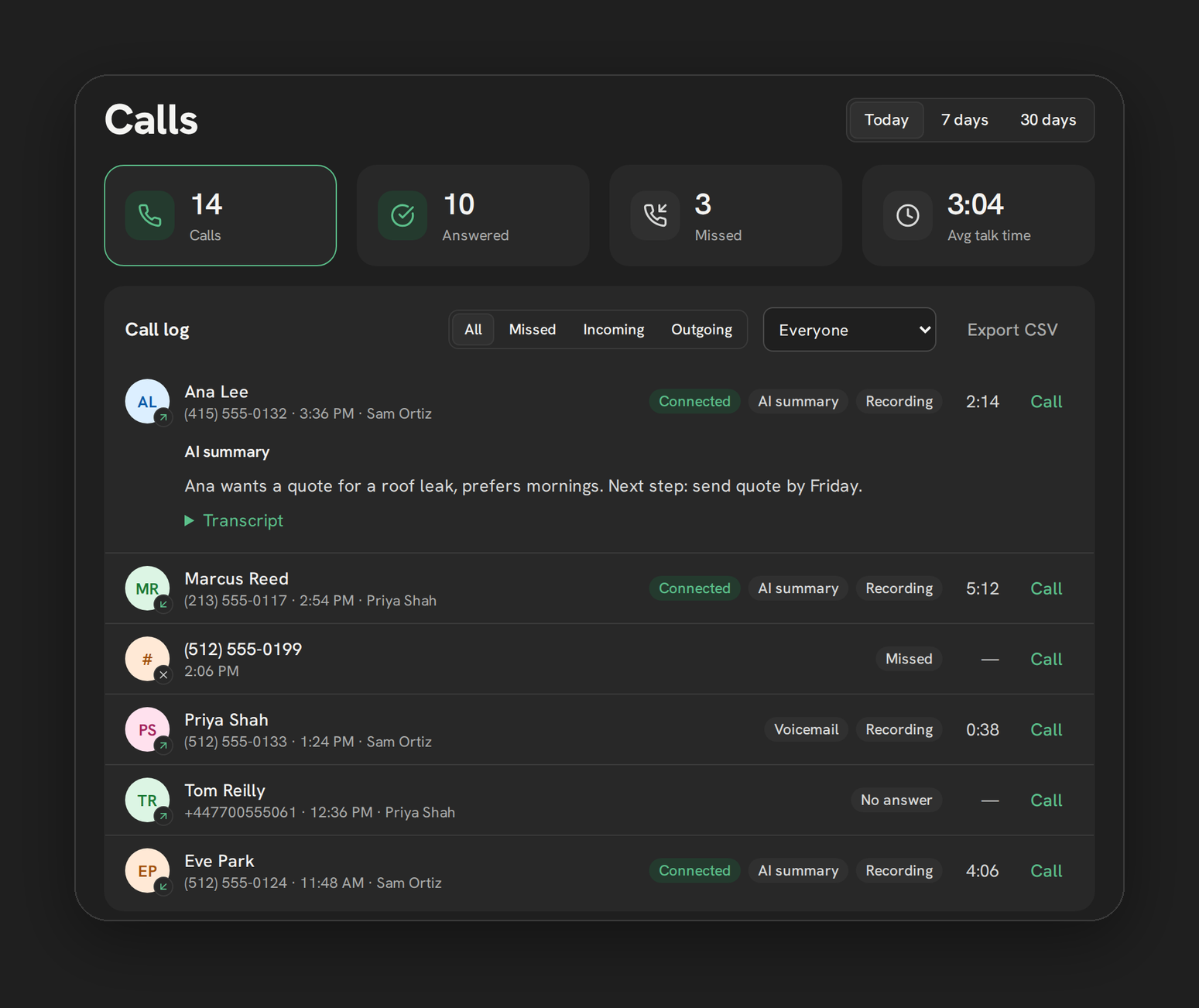
Recording is the audio; tracking is everything around it. On the full, un-embedded Phone page at 1000px or wider, a two-column dashboard sits next to the phone:
| What | Details |
|---|---|
| Periods | Today, 7 days, 30 days |
| Stat tiles | Calls, Answered, Missed, Avg talk time; click one to filter the log below |
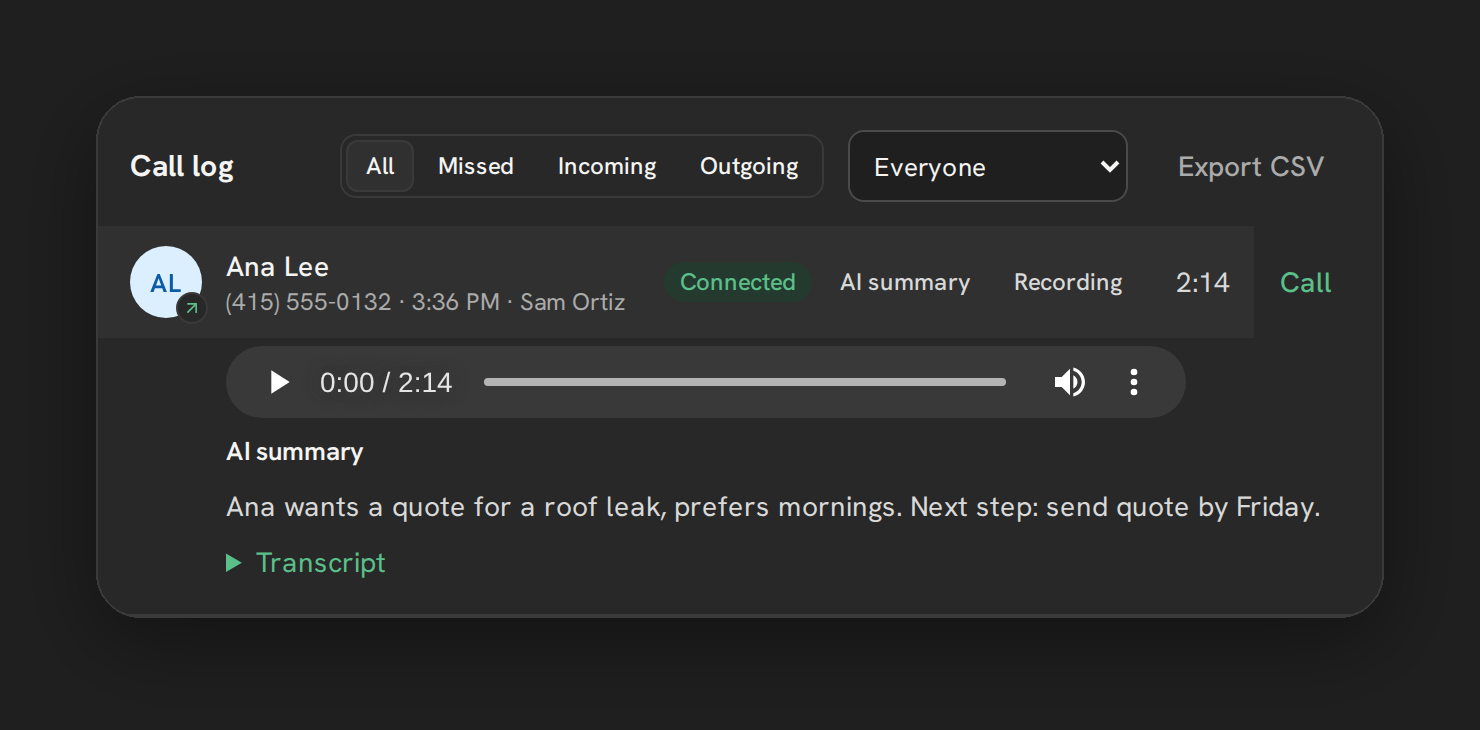
| Call log filters | All, Missed, Incoming, Outgoing, plus an admin-only rep filter on teams of 2+ |
| By-rep table | Admin only: rep, calls, answered, missed, avg talk time, counted per leg before ring-all collapses to one row |
| To call back | Missed calls in the last 7 days nobody’s returned yet, capped at 20 rows |
| CSV export | Capped at 1000 rows, with a UTF-8 BOM for Excel and formula-injection protection on exported fields |
A row in the call log expands to the recording player, the AI summary if AI notes ran, and a collapsible transcript, all in one place. The dashboard refreshes every 60 seconds and after every logged call, without interrupting a recording you already have open.
What’s not built
Two real gaps, not hidden settings:
- No charts over time. Stat tiles and tables show the current period; there’s no graph plotting call volume, answer rate or talk time across weeks or months.
- No multi-location agency dashboard. An admin’s view is scoped to their own sub-account. An agency running several sub-accounts checks each one on its own; there’s no combined rollup view.
Server-side lookback tops out at 90 days regardless of the period picker, and CSV export is capped at 1000 rows per pull.
Included with calling vs AI notes, at a glance
| Included with calling | AI notes (Pro and agency bundles) | |
|---|---|---|
| Recording audio | Yes | No |
| Playback from dashboard | Yes | No |
| Call log, filters, stat tiles | Yes | No |
| By-rep table, CSV export | Yes (admin) | No |
| AI transcript | No | Yes, 1,000 minutes per sub-account per month |
| AI summary note | No | Yes, 1,000 minutes per sub-account per month |
Where this leaves you
Recording, playback and the reporting dashboard around your calls come with calling. AI transcripts and summaries are the part tied to your plan: included in Pro and the agency bundles with a monthly minute allowance, not metered per call and with no automatic overage. What isn’t built yet is trend charts and an agency-wide rollup, both real gaps worth knowing about before you plan reporting around them.
See Recordings & AI Notes and Dashboard & Reporting for the full feature pages, and how to track rep call activity in GoHighLevel for the reporting side in more depth.