

Why Your GoHighLevel A2P 10DLC Campaign Got Rejected (and How to Fix It)
gohighlevel 10dlc rejected 10 min read
The real reasons A2P 10DLC campaigns get rejected in GoHighLevel, grouped by what to fix: consent, website, business identity and sample messages.
- Best for
- HighLevel admins and agencies holding a rejected 10DLC brand or campaign who want to know what the reviewers were looking at and what to change before resubmitting.
- Not for
- Anyone hoping for a faster approval route. Carriers and The Campaign Registry set the timeline; no app or setting skips review.
- The difference
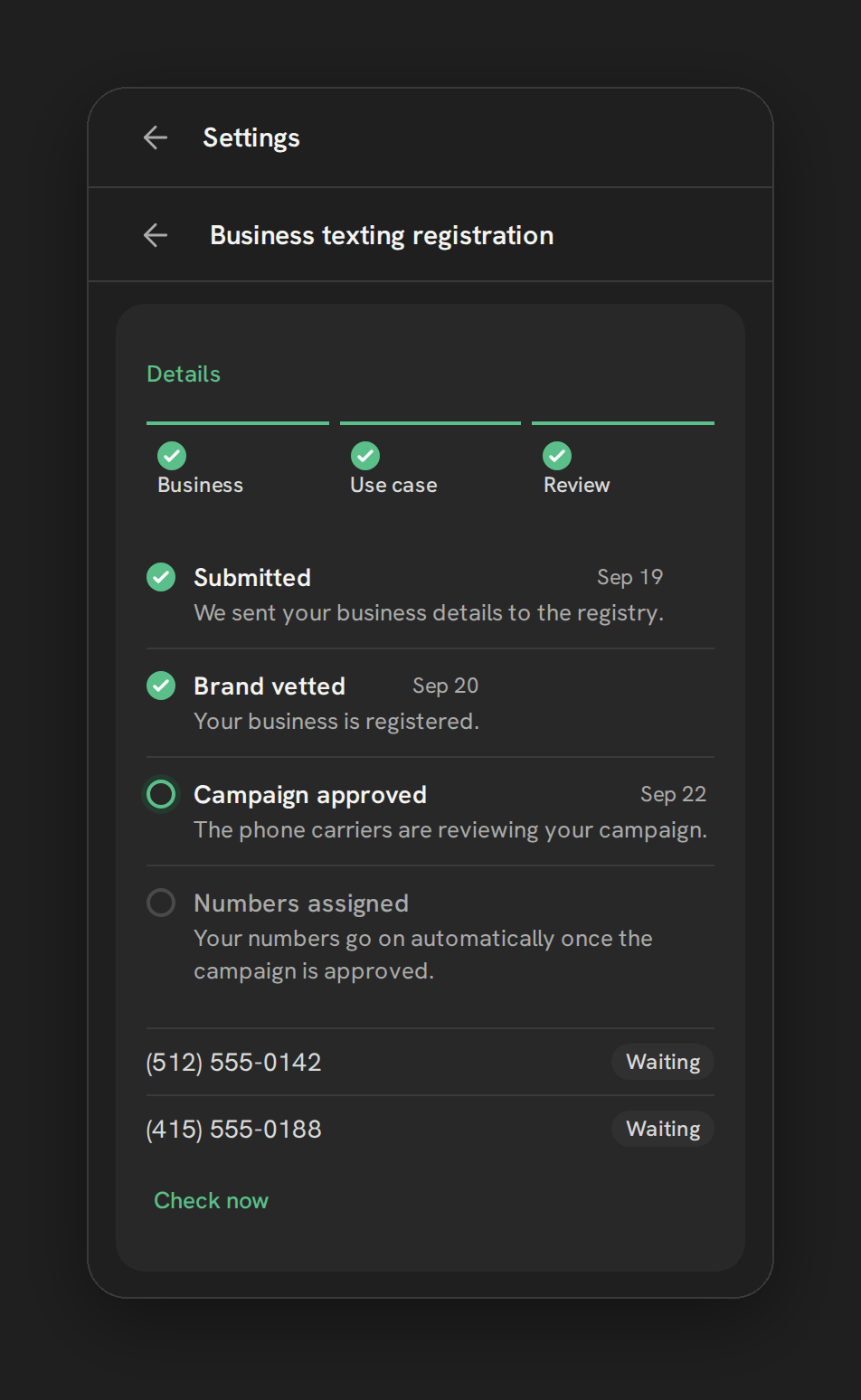
- Phone Clover's wizard on your own Telnyx account shows each step's status and has a Fix and resubmit button. The rules it follows are the same carrier rules everyone registers under.
A 10DLC rejection usually lands at the worst time: the sub-account is set up, the workflows are built, and until the campaign is approved, carriers may filter or block the texts. The rejection message is short, the process feels opaque, and the first instinct is to resubmit with a few words changed.
That rarely works. Reviewers are not checking whether you filled in the form. They are checking whether your answers agree with each other, with your website and with public business records. This guide groups the real rejection reasons by what you have to fix, explains which ones can’t be fixed, and walks through resubmitting. The carrier rules are the same whichever carrier sits behind your HighLevel texting, LC Phone’s Twilio or your own Telnyx account.
Who decides, and why it feels opaque
A2P 10DLC is the US carriers’ registration system for business texting from ordinary 10-digit numbers. You register a brand (your business) and a campaign (what you text people about and how they agreed to it). The Campaign Registry and the carriers review them.
That has two consequences worth accepting up front:
- HighLevel and Phone Clover don’t approve anything. They submit your registration and show you the result. Neither can make review faster, and anyone who promises that is guessing.
- Filling every field is not the test. HighLevel’s own guide says a campaign “can contain values in every required field and still be rejected if those values conflict with official business records, the selected use case, the website, sample messages, or the way recipients actually opt in.”
Since March 2026, HighLevel shows more specific rejection codes on LC Phone campaigns, each with a “View required fixes” link, instead of a handful of broad ones. The categories below follow those codes, and they line up with what Telnyx lists in its own 10DLC troubleshooting and compliance guides.
Consent and opt-in problems
HighLevel lists more consent codes than any other group, and they are among the most fixable.
- The opt-in can’t be verified. Reviewers need to see how a person agrees to receive texts: the web form, the checkbox, the keyword, the paper form. If your description says “customers opt in on our website” and the website has no such form, that is a rejection.
- Consent is bundled. Marketing consent has to be separate from transactional consent, and it can’t be buried in mandatory terms. Telnyx’s guide adds that opt-in language must be specific to texts, not combined with email or phone call consent.
- The checkbox is missing, required or pre-checked. People must be able to decline and still submit the form.
- Disclosures are missing. Near the opt-in, state the message type, how often you text, that “message and data rates may apply”, and how to stop (reply STOP).
- Not every opt-in method is described. If you selected several methods, each one needs a description.
- HELP and STOP handling is unclear. The HELP reply should include your business name and a way to reach you, such as a phone number or email.
- The privacy policy shares phone numbers. A policy that allows sharing opt-in data with third parties is a rejection reason on its own.
A stronger opt-in block, on the page where the phone number is collected, looks something like this: an unchecked box labeled “I agree to receive appointment reminders and offers by text from [Business name]. Message frequency varies. Message and data rates may apply. Reply STOP to opt out, HELP for help.” with a link to your privacy policy beside it.
Website problems
Reviewers visit the website you list. These fail often:
- the site is only a form, sits behind a login, or is under construction;
- the URL is invalid or doesn’t match the brand you registered;
- there is no privacy policy, or it belongs to a reseller or agency rather than the brand being registered;
- the site lacks basic business information or any mention of texting;
- age-restricted content has no age gate.
For agencies this is the classic trap: a client’s campaign points at a half-built site, or at the agency’s own privacy policy. Fix the site first, then resubmit.
Business identity problems
These usually stop the brand, not just the campaign.
- Legal name and EIN don’t match IRS records. Telnyx says a brand that isn’t verified most commonly has an EIN mismatch. Use the exact legal name on the IRS confirmation letter (the CP 575 or a 147C letter). HighLevel’s guide warns not to use the name from W-2 or W-9 forms, and says that if the name spans more than one line on that letter, you enter every line above the address.
- A DBA or sole-proprietor name doesn’t match. If the website, samples or opt-in text use a different name from the registered one, it gets flagged.
- The contact details look personal. A Gmail or Yahoo address, or a contact who isn’t an authorized representative of the business, is a rejection reason.
- More than one brand in one campaign, or opt-in evidence that shows a different company.
- The same EIN on several brands.
- A brand-new EIN may not be visible to verification systems yet. If you just got your EIN, that alone can explain a failure.
On LC Phone, HighLevel’s message “Maximum 3 tries exhausted” means the business details kept failing to match. The fix is the IRS letter, not another guess.
Use case and sample message problems
- The description is vague. “We send texts to customers” says nothing. Say who you text, why, and what they signed up for.
- Samples don’t match the use case. Appointment reminders registered as marketing, or lead generation described as lead nurture, gets rejected.
- Samples are copy-pasted or identical. Write two to five real messages, each different, each with your business name.
- Links in samples use a public URL shortener or plain HTTP. Use your own full HTTPS domain.
- A phone number appears in messages but not in the samples. If your real texts include a number, show it in the samples.
- It looks like person-to-person texting. A2P is business-to-person; register accordingly.
Rejection reasons and their fixes at a glance
Every row below is explained in the sections above. Use it to find your reason fast, then read the section for the detail.
| Rejection reason | Group | Fix |
|---|---|---|
| The opt-in can’t be verified | Consent | Make the website show the form, checkbox, keyword or paper form you described |
| Consent is bundled | Consent | Separate marketing from transactional consent, and keep text consent apart from email or phone call consent |
| Checkbox missing, required or pre-checked | Consent | Add an unchecked box that people can leave blank and still submit |
| Disclosures missing | Consent | Add message type, how often you text, “message and data rates may apply” and how to stop (reply STOP) |
| Not every opt-in method described | Consent | Describe each method you selected |
| HELP and STOP handling unclear | Consent | Put your business name and a way to reach you in the HELP reply |
| Privacy policy shares phone numbers | Consent | Remove the clause that allows sharing opt-in data with third parties |
| Site is only a form, behind a login or under construction | Website | Finish the site, then resubmit |
| URL invalid or doesn’t match the brand | Website | List the live URL of the brand you registered |
| No privacy policy, or it belongs to a reseller or agency | Website | Publish the brand’s own privacy policy |
| Site lacks business information or any mention of texting | Website | Add basic business information and say that you text |
| Age-restricted content, no age gate | Website | Add an age gate |
| Legal name and EIN don’t match IRS records | Business identity | Use the exact legal name from the IRS letter (CP 575 or 147C) |
| DBA or sole-proprietor name doesn’t match | Business identity | Use the registered name on the website, samples and opt-in text |
| Contact details look personal | Business identity | Use a business email and an authorized representative |
| More than one brand in one campaign, or the same EIN on several brands | Business identity | Register one brand per campaign, with opt-in evidence from that company |
| Brand-new EIN | Business identity | Expect it may not be visible to verification yet, then resubmit |
| Vague description | Use case and samples | Say who you text, why, and what they signed up for |
| Samples don’t match the use case | Use case and samples | Register the use case that matches your real messages |
| Samples copy-pasted or identical | Use case and samples | Write two to five different messages, each with your business name |
| Public URL shortener or plain HTTP links | Use case and samples | Use your own full HTTPS domain |
| Phone number in messages but not in samples | Use case and samples | Show the number in the samples |
| Looks like person-to-person texting | Use case and samples | Register it as business-to-person |
| Content carriers don’t allow (SHAFT, cannabis, gambling and the rest of the list) | Not eligible | No fix. Resubmitting won’t change it |
Rejections you can’t fix by resubmitting
Some campaigns are not eligible at all, whatever the wording. HighLevel’s list includes the SHAFT categories (sex, hate, alcohol, firearms, tobacco and vaping), plus cannabis and CBD, prescription drugs, some loan and debt-relief marketing, third-party debt collection, gambling, sweepstakes, stock and crypto alerts, credit repair, and third-party lead generation. Content flagged as fraudulent, phishing or deceptive is also final.
If your business is in one of these categories, the honest answer is that standard 10DLC texting isn’t open to you, and no app changes that. HighLevel describes an appeal by email to support for some cases; treat it as a request, not a route around the rules.
Fix and resubmit, step by step
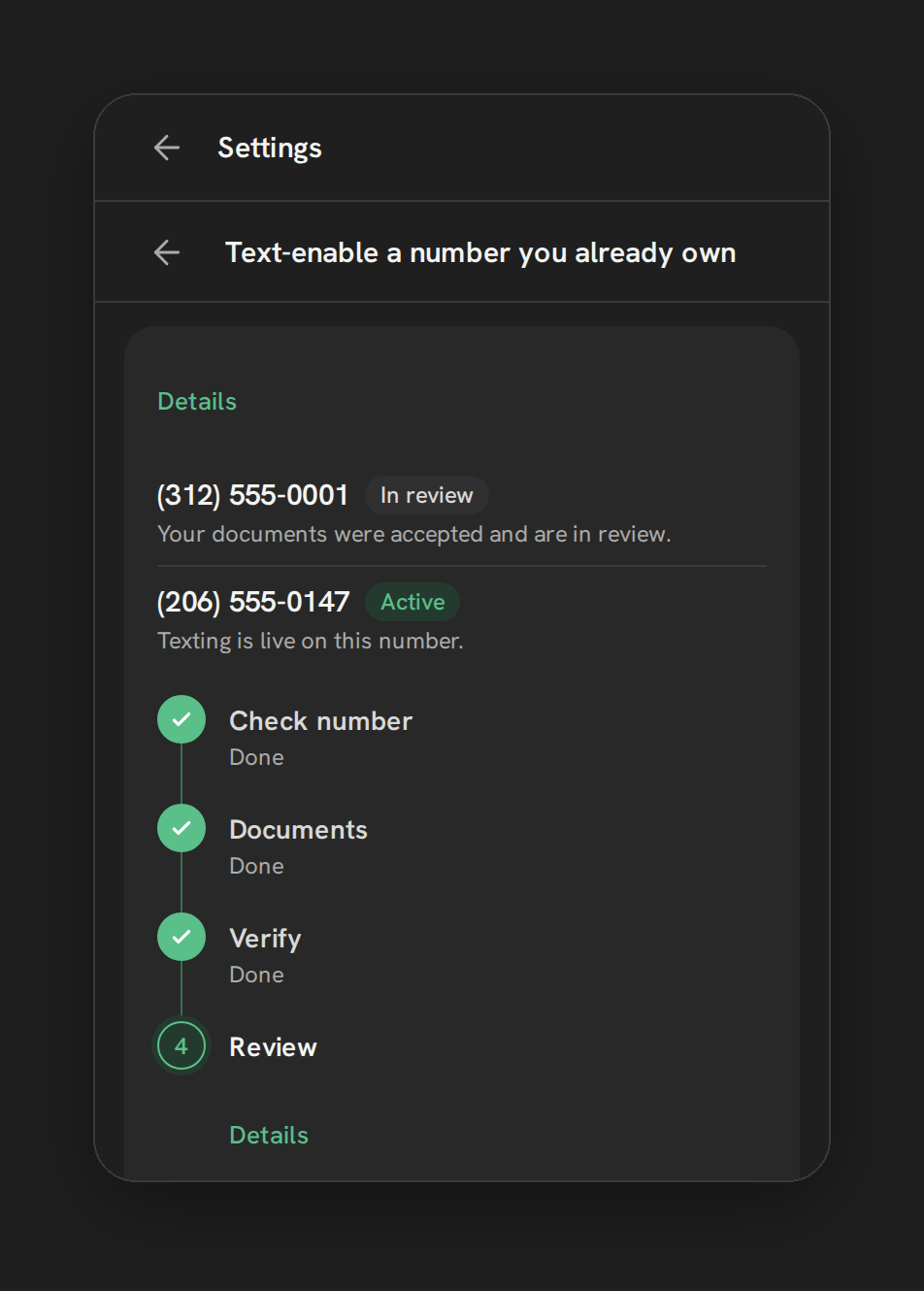
- Read the exact reason. On LC Phone, open the rejected campaign in the Trust Center and use “View required fixes”. In Phone Clover, open Settings, the Texting tab, then Business texting registration, and read the reason on the Review step.
- Fix the thing outside the form first. Many rejections point at the website, the opt-in form or the business records. Change those before you touch the text.
- Make every answer agree. Legal name, website, privacy policy, use case, samples and opt-in description should describe the same business doing the same thing.
- Resubmit once, carefully. In Phone Clover, use Fix and resubmit on the failed step. Some fields may not be editable on a rejected campaign; HighLevel notes that a changed use case or opt-in message may need a new campaign, and Telnyx’s troubleshooting guide says the same for rejected campaigns on Telnyx. Rule of thumb: if the fix is in a detail (a missing disclosure, a sample, the website), resubmit. If the use case or opt-in flow itself was wrong, a new campaign is often cleaner. If the reason says the business itself is not eligible, resubmitting won’t help.
- Then wait, and check. The Review step shows a timeline of each registration step, a Registered or Waiting chip per number, and a Check now link. Numbers added after approval are not attached automatically; use Check now for them.
On fees: submitting a campaign starts its registration and monthly fees whatever the outcome, per HighLevel’s LC Phone pricing guide. HighLevel says LC Phone resubmissions have been free since February 2026. On your own Telnyx account, Telnyx and the carriers set the fees; check Telnyx’s current pricing before you register. The A2P 10DLC for HighLevel agencies guide covers costs and a registration checklist for running this across many clients.
What happens if you text without approval
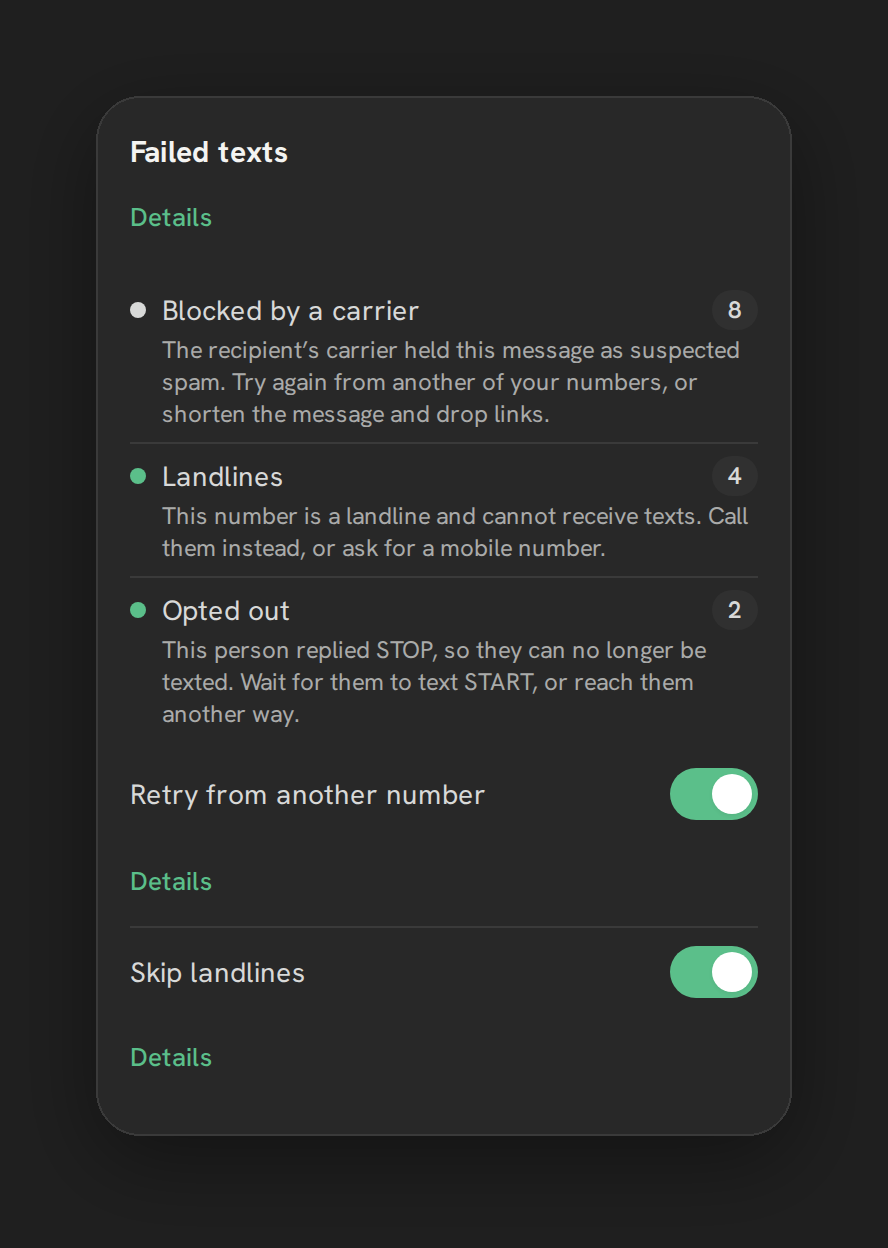
Nothing dramatic happens at first, which is the problem. Unregistered business texts are more likely to be filtered or blocked by carriers, and there is often no hard error in HighLevel, just messages that don’t arrive. In Phone Clover, the Failed texts card groups these under reasons such as “Number not registered for texting”, so you can see it instead of guessing. The SMS deliverability guide covers the rest of the routine.
Toll-free as a fallback
Toll-free numbers don’t use 10DLC brand and campaign registration. They go through toll-free verification instead, and HighLevel says it doesn’t require an EIN. That makes it an option for some businesses that can’t get a brand verified. It is not a shortcut: HighLevel says review can take up to four to six weeks, it says only verified toll-free numbers can text recipients in the US and Canada, and it has its own rejection reasons, mostly the same ones: inconsistent identity, unreachable websites, incomplete consent and samples that don’t match the program. In Phone Clover, the wizard shows a separate Toll-free step only if the account has a toll-free number. For the full process, read what to expect from GoHighLevel toll-free verification.
Where Phone Clover fits
Phone Clover is a private HighLevel app in early access that runs on your own Telnyx account. Its 10DLC wizard is built and in early access: Business, Use case, Review, and Toll-free when needed, with one brand and one campaign per sub-account. It turns the form work into guided steps. You still supply the business, use case, sample and consent details, and it does not change what the carriers ask for or how long they take. Texting from HighLevel’s Conversations through Telnyx is in early access in our pilot, and 10DLC registration on the pilot itself is still to come, so we don’t promise volume sending yet.
For the full walkthrough, see Register for A2P 10DLC and the A2P 10DLC wizard page. If the bigger question is your carrier, read Is there a Twilio alternative for GoHighLevel?, and for the whole setup, Telnyx for GoHighLevel.