
Why texts fail and what the reasons mean
Read the plain-English category behind a failed text, and turn on automatic retry or a landline pre-check.
For admins · Updated Sep 23, 2026
All guides
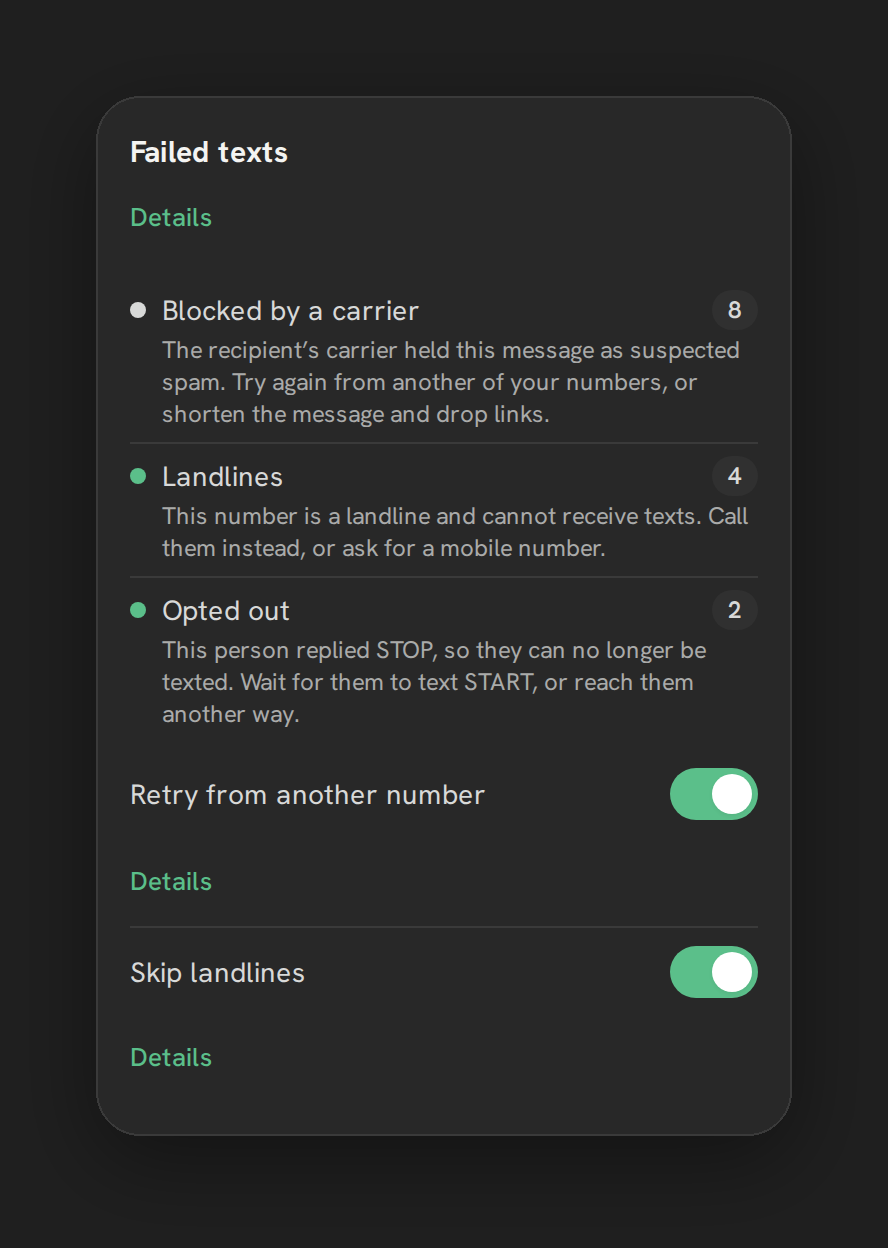
Carriers return raw error codes when a text fails. Phone Clover translates those into a plain-English category so you don’t have to look up what the code means. This page covers the categories themselves. If you want a step-by-step way to work through a failure, see SMS not sending instead.
Where to find it
Settings, then the Texting tab, then the Failed texts card.
The categories
| Category | What it usually means |
|---|---|
| Blocked by a carrier | A carrier filtered the message, often due to A2P 10DLC registration status |
| Number not registered for texting | The sending number is not registered for business texting yet |
| Landlines | The destination number is a landline and cannot receive texts |
| Opted out | The recipient has opted out of texts from you |
| Message content | The message content triggered a carrier filter |
| Sending limits | You hit a carrier-imposed sending limit |
| Wrong number or setup | The number or its configuration has a problem |
| Temporary problems | A short-lived carrier issue; often resolves on retry |
| Unknown | The carrier did not return a reason Phone Clover can categorize |
Controls
- Retry from another number. When on, a failed text is automatically resent from another number you own, instead of staying failed.
- Skip landlines. When on, Phone Clover checks a number before texting it, so it does not attempt (and fail) a text to a known landline.
Note: These two toggles reduce failures you can do something about. They do not change how carriers filter content, and they cannot fix a number that isn’t registered for texting.
Troubleshooting
Most failures show “Blocked by a carrier” or “Number not registered for texting.” Confirm your business is fully registered. See Register for A2P 10DLC, and check the Review step there for the number’s Registered/Waiting chip.
Failures show “Landlines.” Turn on Skip landlines so Phone Clover checks a number before sending, instead of finding out after a failed attempt. If you need to reach that contact, call them instead.
Failures show “Opted out.” The recipient asked to stop receiving texts. Do not text that contact again from this channel; this status reflects their opt-out, not a technical problem.
Failures show “Message content.” Rewrite the message. Certain wording and link patterns trigger carrier content filters, and there is no override for this from inside Phone Clover.
Failures show “Temporary problems” repeatedly for the same number. Turn on Retry from another number so a transient carrier issue on one number doesn’t keep blocking your texts.
A failure shows “Unknown.” The carrier didn’t return a reason Phone Clover recognizes. Check Number health radar for that number in case it has been flagged, since an unhealthy number is a common hidden cause.