
Missed-call text-back
Automatically send a text after an unanswered inbound call, so a missed call is never a dead end.
For admins · Updated Sep 23, 2026
All guides
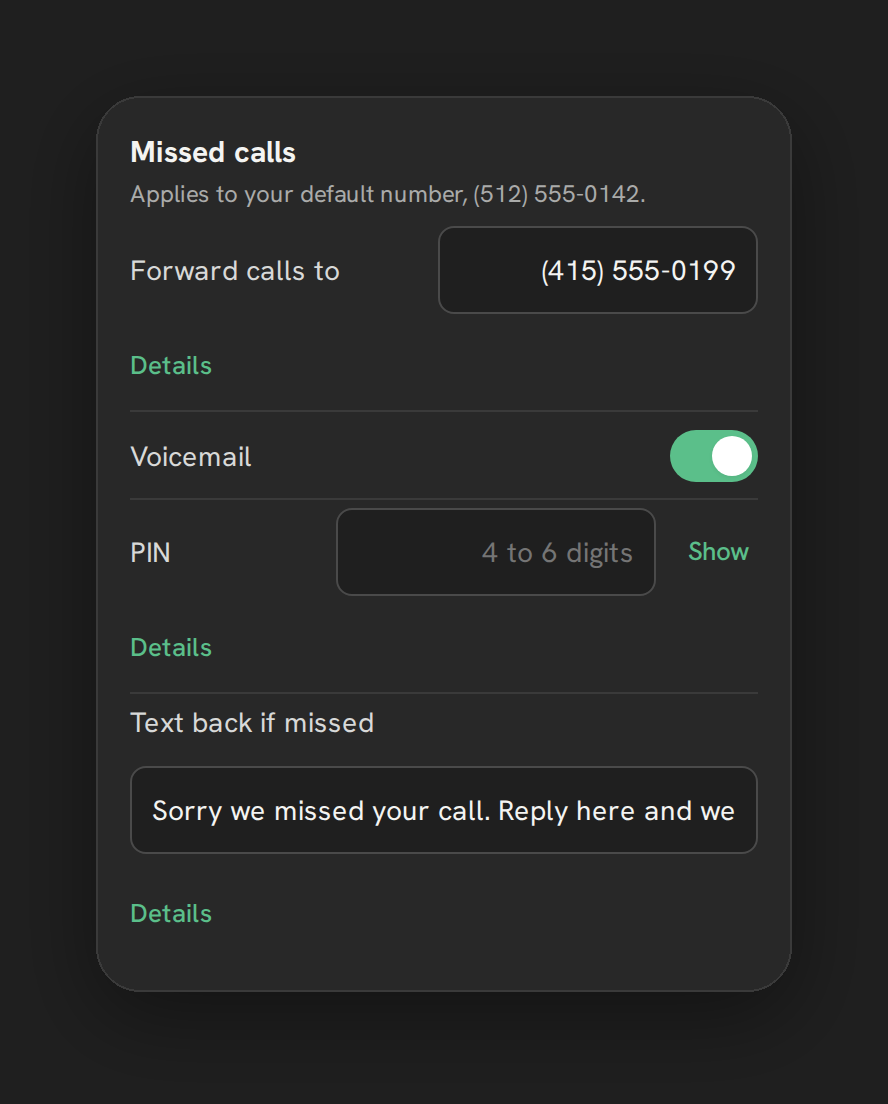
A missed call is a lead that might not call back. Missed-call text-back sends a one-time text automatically after an inbound call goes unanswered, so the caller hears from you right away even if nobody picked up.
Who can turn this on
An admin, from Settings → Calls → “Missed calls” card. It is off by default, one text field doubles as both the message and the on/off control.
How to turn it on
- Open Settings → Calls in Phone Clover.
- Find the “Missed calls” card and its text-back field, placeholder text “No text (off)”.
- Type the message you want sent, up to 300 characters.
- Save.
An empty field means text-back is off. Typing a message and saving turns it on.
When it fires
Text-back sends only once, and only after the entire ring/forward/voicemail chain has finished without an answer. If a forwarded call to your cell might still pick up, Phone Clover waits for that leg to finish first rather than texting while the call could still be answered. This avoids a text going out for a call that actually gets picked up a few seconds later on a forwarded line.
Where the text lands
Warning: The message lands as a contact note in HighLevel, not as a message in the Conversations SMS thread. This is a HighLevel API limitation, not a Phone Clover choice. Do not expect it to show up as a text bubble in Conversations the way a manually sent text would.
Because it is a note rather than a thread message, a rep checking the Conversations tab for a follow-up will not see the text-back message there. Check the contact’s notes, or Phone Clover’s own Recents and dashboard views, to confirm text-back fired for a specific call.
Turning it off
Clear the field and save. Phone Clover confirms: “Stop texting back missed callers? Nobody will hear from you automatically.”
What it does not do
Text-back is a single, fixed message, not a sequence or a workflow. If you want a follow-up sequence after the first text, build that separately with a HighLevel workflow triggered off the note or the missed call, since Phone Clover’s text-back itself only sends the one message.
Writing a good text-back message
Keep it short and specific to what a caller who just could not reach you needs to hear: that you saw the call, and how or when you will follow up. Something like “Sorry we missed your call, we’ll call you back shortly” sets the right expectation without overpromising a specific time you cannot guarantee.
Combining it with a calling list
Text-back handles the immediate acknowledgment. For a more deliberate follow-up, tag the contact after a missed call and use that tag to start a calling list later in the day, so reps work through missed calls in a batch instead of one at a time as they happen. See Create a calling list from a tag and To-call-back list for another view of the same missed calls, built into the dashboard.