
AI notes overview
Enable included AI transcription and summaries on Pro and agency bundles, check your monthly allowance, and find the results.
For admins · Updated Oct 20, 2026
All guides
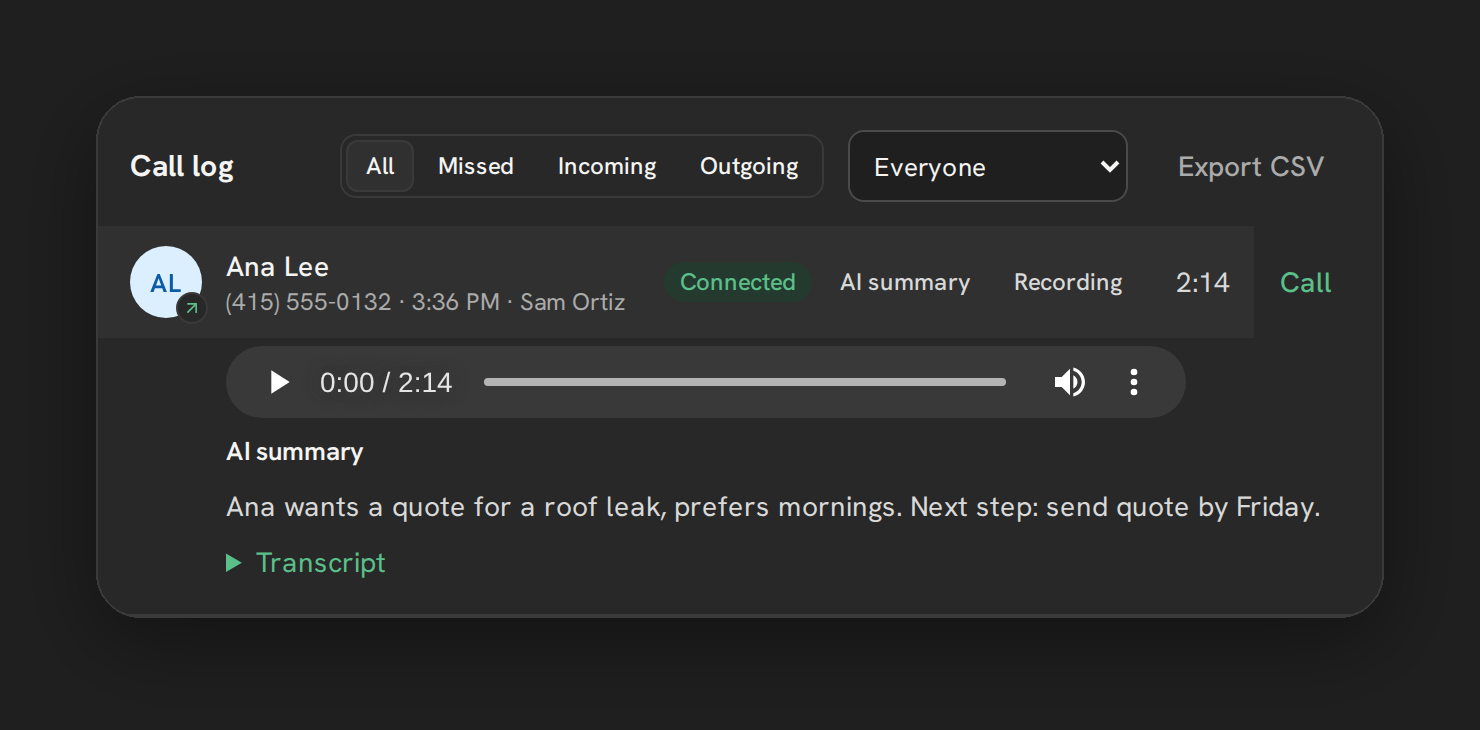
AI notes turns an eligible recorded call into a transcript and a short summary with a suggested next step. Processing happens after the call ends, so allow a few minutes before checking the result.
Plans and allowance
AI notes is included in Pro, Growth 5, Growth 10 and Scale. It is not a separately purchased add-on. Texting and Base do not include it.
Each covered sub-account receives 1,000 recorded-call minutes per UTC calendar month, shared by transcription and summaries. A successfully processed call counts once. There is no pooling between sub-accounts, rollover or automatic overage charge.
A complete recording must fit within the remaining allowance. When it does not fit, that call waits; shorter eligible recordings can still process. Calling and recording continue when the AI allowance is exhausted. Older queued recordings are not guaranteed to be processed after the monthly reset.
Turn it on
An admin opens Settings → Calls → Recording and enables Transcribe and summarize. Also enable recording for the incoming or outgoing calls you want processed. See Call recording settings.
The card shows used and remaining AI minutes and the next reset date. If the switch is unavailable, check the plan, subscription status and available sub-account slot. An admin on an eligible plan can enable the setting directly.
Where to find the result
- Open the contact’s Notes in HighLevel for the transcript excerpt and summary.
- Expand the call row in the full Phone page’s dashboard for the stored transcript and summary alongside the recording.
The transcript excerpt sent to HighLevel Notes is limited to 4,000 characters; this does not truncate the transcript stored with the call.
Limits
AI notes does not add speaker labels or a manual language selector. Review important details against the recording: a generated summary can omit information or get it wrong.
See AI transcripts and summaries for eligibility, processing and retry behavior.